1. The Physics: Why Paper Substrates Determine Maximum Ink Densities
In offset printing, ink transfers from the printing blanket onto the paper in four successive nip passes (Cyan, Magenta, Yellow, Key/Black) within fractions of a second.
The behavior of this wet ink film depends entirely on the paper surface structure:
Coated Papers (Gloss, Silk, Matte)
Coated sheets feature a mineral barrier layer (calcium carbonate / kaolin clay). Ink vehicles cannot penetrate deeply; drying occurs primarily through surface oxidation and UV curing. High ink thickness builds up on the surface, making it susceptible to wet ink set-off if TAC exceeds 300%.
Uncoated Papers (Offset, Woodfree)
Uncoated sheets act like blotting paper. Raw porous cellulose fibers rapidly wick up liquid ink via capillary action. This produces high dot gain (TVI) and can cause ink strike-through (staining the reverse side). Ink limits must be kept below 280%.
2. Master TAC / TIL Reference Table by Substrate
Always calibrate your layout documents and color profiles according to this standard matrix:
| Paper Grade & Substrate | Standard Profile | Fogra Dataset | Maximum Recommended TAC |
|---|---|---|---|
| Premium Coated (Gloss & Silk) | PSO Coated v3 | FOGRA51 | 300% |
| Standard Coated (Legacy) | ISO Coated v2 (ECI) | FOGRA39 | 300% – 320% |
| Uncoated Woodfree (Offset) | PSO Uncoated v3 | FOGRA52 | 280% |
| Supercalendered Paper (SC) | PSO SC-B Paper | FOGRA40 | 270% |
| Machine Finished Coated (MFC) | PSO MFC Paper | FOGRA41 | 280% |
| Coldset Newsprint (SNP) | WAN-IFRAnewspaper26v5 | FOGRA42 | 220% – 240% |
| Folding Boxboard (GC1 / GC2 Carton) | PSO Coated v3 / Custom Board | ISO 12647-2 | 260% – 290% |
3. The Real-World Cost of TAC Violations
Why are production managers and press operators so aggressive about rejecting files with 320%+ TAC?
Case Study: 20,000 Sheet Packaging Run
A cosmetics box layout was created in Photoshop with a heavy 360% rich black background (C:85, M:85, Y:90, K:100). During high-speed offset production at 14,000 sheets/hour, the heavy wet ink failed to set before stacking.
- Set-Off Damage: Black ink transferred onto the light interior faces of adjacent sheets.
- Financial Damage: 20,000 sheets of premium SBS paperboard scrapped ($4,200 substrate loss + 6 hours press downtime).
- Schedule Delay: 4 days lost waiting for replacement paper stock.
4. Vector vs Raster TAC in Adobe Illustrator
Many designers assume that vector artwork in Adobe Illustrator is immune to ink coverage violations. This is dangerously false:
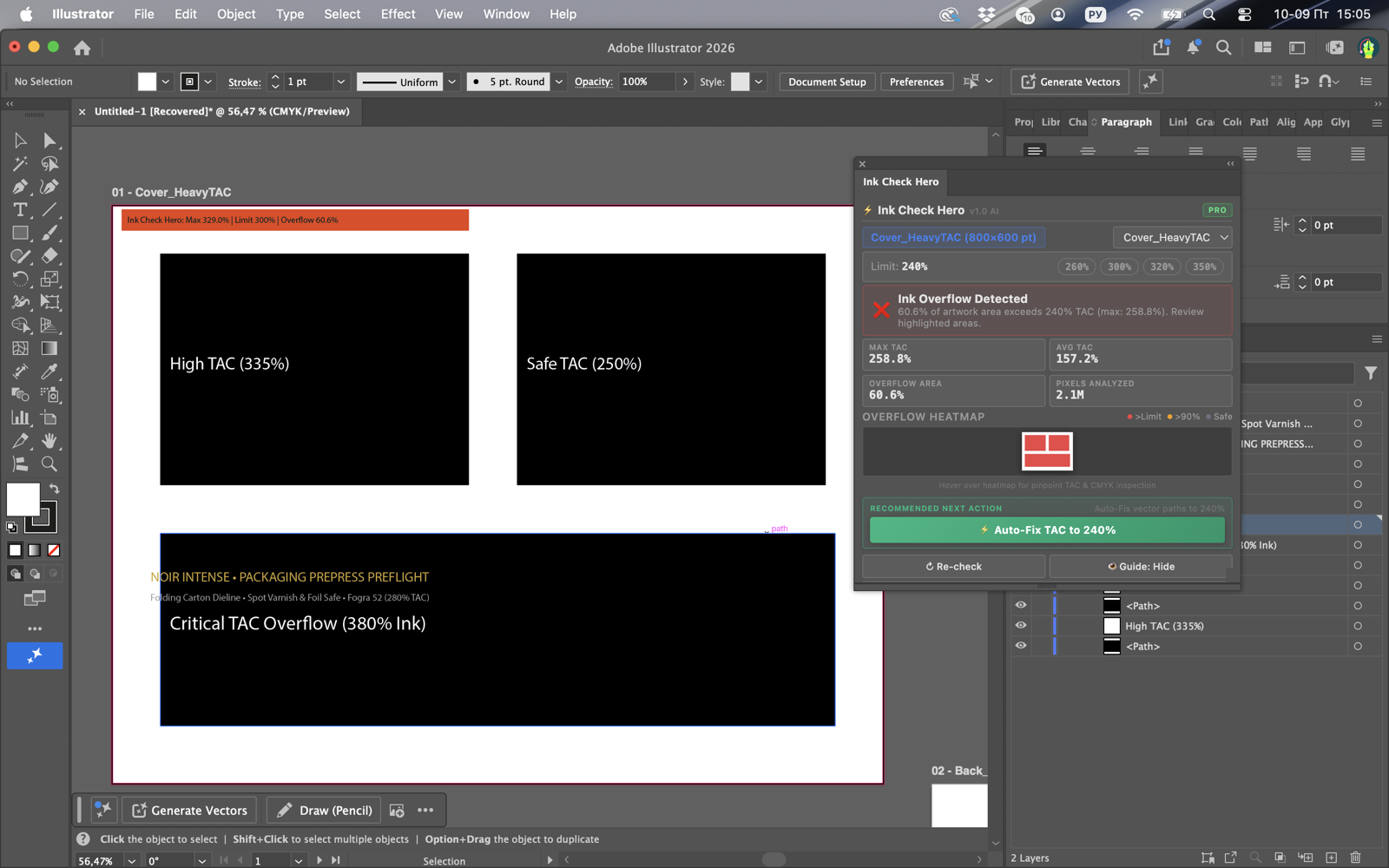
- Overprinting Multi-Plate Fills: A 100% Black rectangle set to overprint a rich 4-color gradient can easily spike to 380% TAC.
- Transparency Blending Modes: Multiply, Darken, and Color Burn blend modes frequently compound CMYK values beyond safe thresholds.
- Embedded Raster Placements: Linked high-res TIFF or PSD images inside packaging layouts carry their own raw ink densities.
5. Production Troubleshooting: What to Do When Files Violate TAC
- Never blind flatten or wash out: Do not just apply a blanket curve adjustment that weakens your black plate.
- Run a dedicated preflight inspector: Drop the raster into the InkCheckHero web preflight tool to pinpoint exactly which pixel coordinates exceed tolerance.
- Apply GCR Auto-Fix: In Photoshop or Illustrator, execute InkCheckHero's 1-Click Auto-Fix. It automatically removes the redundant chromatic CMY pigments while locking the Black plate to 100%, safely bringing total coverage down to 280% or 300%.